|
In what is the
last chapter before we dive into the actual
fun, that is the mixing of Dub music, I'll
show you my current composition environment.
Yes, it is in Reason 11 and although I think
it will be more difficult in other DAW's, it
can be done. You'll have to know your own
DAW of choice (usually Ableton Live) and
translate what you see here into what works
for your DAW.
Basically,
what you want to do in the composition
environment is create multi-tracks from
different instruments and sources. Some
things you'll want to play, some you want to
use loops for, others you want to program.
It's a lot of fun, for example to actually
program drum patterns that can be played by
a real drummer. I also saw an interview with
Sly Dunbar wherein he revealed it was one of
his hobbies to actually program drum
computers. So don't think too low about
programmed drum patterns.
the
console
Let's start
with the end. Two or so chapters ago I
showed that I mix the dry instruments with
the right settings when it comes to volume.
One thing louder than the other, and then I
save them away as individual tracks. I use 8
tracks maximum, and that is because I use a
piece of hardware during Dub mixing which is
not neccesary but does enhance the
experience significantly. Here are the
relevant parts of the console. You will see
that I keep everything dry, with the
exception of the bass. (Click for
enlargement)

The reason
why I keep everything dry, is because I want
to add effects in the mixing environment.
When for example I would apply a phaser over
the brass, I would only have a phasered
brass in my mixing environment and maybe I
want to use a bigger and better phaser or no
phaser at all. Same thing for example why I
keep the drums dry. Applying reverb, sure,
but when you mix a Drum that already has
reverb in the recording, things get messy in
the Dub mix.
In this
riddim, I only use 7 tracks. Here they are:
- Kick
- Bass
- Drums
- Riddim
- Brass
- Clavinet
- Empty
- Vocals
Yes, maybe
I'll add another track on channel 7. Could
be a conga, a backing voice, maybe even an
instrument. But for now, I saved them away
in such a matter that all tracks can be
opened into the mixing environment with the
right volume relations. This will come in
very handy as you will see in the next
chapters.
the rack
Sure, the
actual recording is done in the sequencer.
But you can record all you want, when you do
not have an instrument or virtual tape to
record on, it's nothing. So we need the
rack, This is also the same in studio's. You
have a console and a rack full of effects,
plus instruments. In Reason, it's all in a
rack.
I have the
following (virtual/software) instruments
within Reason:
- 3 Redrum
Drumcomputers (two for drums, 1 for
guitar)
- 1 Bass
Amp (Softube)
- 1 Piano
(Reason ID8 Device)
- 1 Organ
(Reason ID8 Device)
- 1 (three
part) Brass section (Reason ID8 Device)
- 1
Clavinet (Native Instruments Kontakt
Free Player)
I have the
bass and the kick directly linked to the
console (channels 1 and 2), the piano organ
and guitar go through a seperate mixing
board named "Riddim", the output
of that mixing board goes to channel 4. I
have the same with the drums, and a mixing
board called "drums" links to
channel 3 on the console. The brass and
clavinet each have their own channel on the
console as well, plus of course the vocal
recording.

click
to enlarge
a
conclusion of the riddim creation process
(for now)
This short
run-through through my composition
environment concludes 37 chapters wherein I
tried to describe the process of creating a
Reggae track. Of course, some things changed
as this tutorial started closer to two
decades than to one decade ago but the
basics stay the same. Not in the least
because I use the computer to simulate the
situation in a real Reggae studio. I tried
to give close to everything I basically know
about Reggae Music, about computers, about
technology, alla dat.
And yes, it
is necessary to go in-depth and deal with
what Reggae is, how a Reggae riddim is made.
How chords relate to the bass, how the bass
relates to the drums, how the horns relate
to the chords, and how a pucking guitar
follows the bass. To name just a little bit
of musical ingredients.
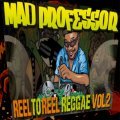
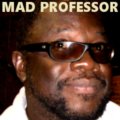
Those that
know me, know that I am a big fan of Neil
Frazer, aka the Mad Professor and his Ariwa
Studio's. You might not know that Mad
Professor does not use any DAW. In fact he
still uses analogue multitrack tapes. He
swears by it and does everything by his
ears. Mad Professor is a genius. If toward
the end of my career I'm able to create some
music similar to what he did in the early
1980's, I'm more than satisfied.
I'll be
talking more about Mad Professor and his
enormous works. How his dubs can be seen as
individual Dub lessons. And that is, because
the next part in this tutorial will finally
be about Dub mixing proper. Not just a few
tips and tricks, but how you can build an
environment where you can turn the multi
track recordings into fat Dubwise tracks.
I do that
in the mixing environment.
|